
One click from failed test to filed bug.
Click one button and a prefilled bug report lands in your tracker with the error, stack trace, environment, and run link.




Filing bugs from test failures
is a manual slog
Someone opens the tracker, creates a ticket, copies the error, attaches the trace, and hopes they got it all.

Bug reports from test failures are incomplete
The engineer filing the ticket includes the error message but forgets the environment, browser version, or trace link. The developer assigned asks three follow-up questions before they can start investigating.
Context switching kills triage speed
You review results in the CI dashboard, switch to Jira to create a ticket, switch back for error details, switch again to paste them, switch back for the trace URL. Each switch costs focus.
Flaky tests never get a proper ticket
Everyone agrees the flaky checkout test needs a bug filed. But manually writing a well-documented report takes too long, so it stays on someone's mental list for weeks and never gets fixed.
Duplicate tickets pile up for the same failure
Without checking history, two engineers file separate tickets for the same error on different runs. The backlog fills with duplicates nobody links together.
How issue tracking works
TestDino connects to your project tracker. When a test fails, you create a prefilled issue directly from the test result. No forms to fill, no tabs to switch.
Add the TestDino reporter
One line in your Playwright config. Test failures and their full context are captured and ready for issue creation.

reporter: [
  ['html', { outputDir: './playwright-report' }],
  ['json', { outputFile: './playwright-report/report.json' }],
]
npx tdpw upload <report-dir> --token=$TESTDINO_API_KEY
Connect your tracker
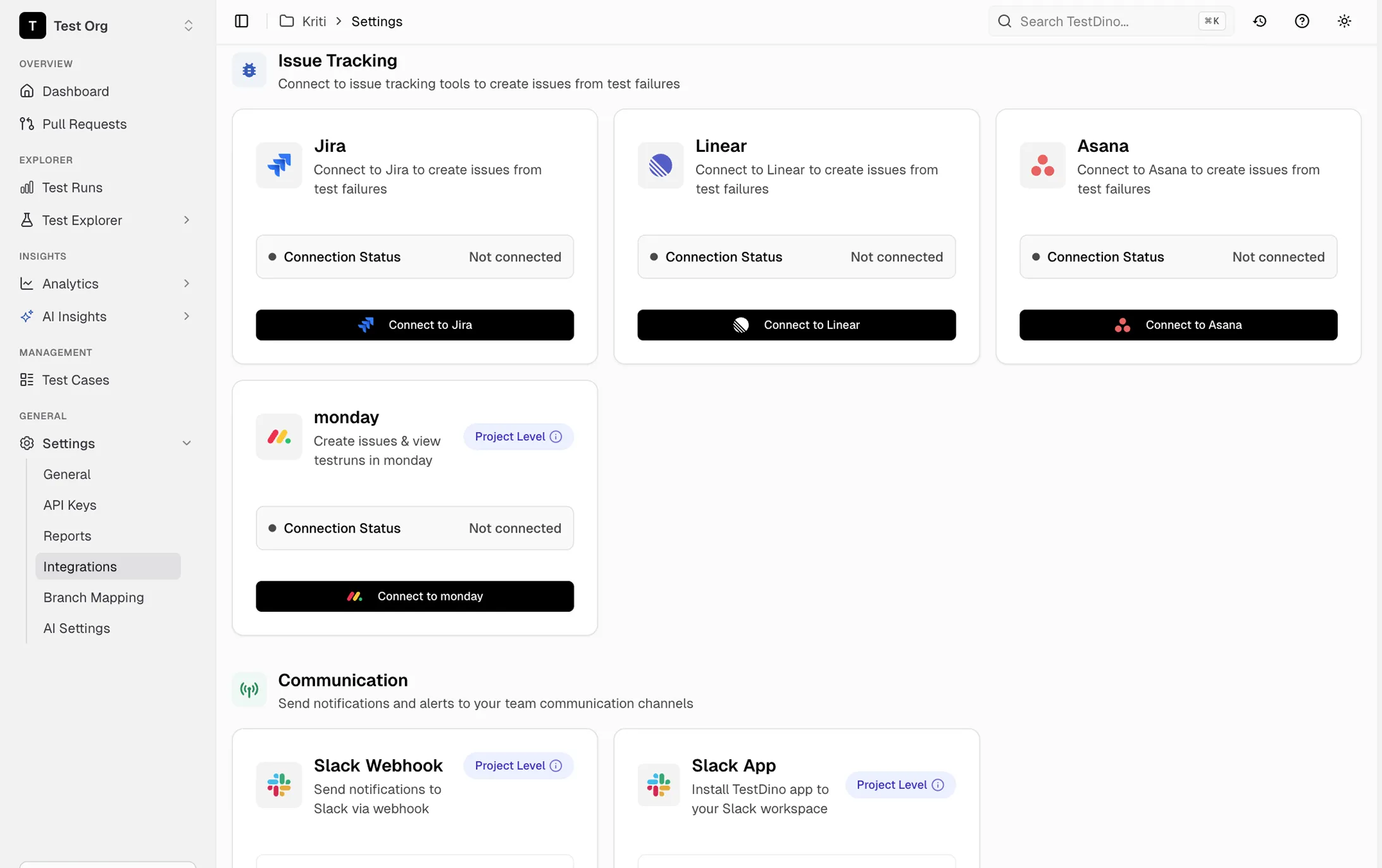
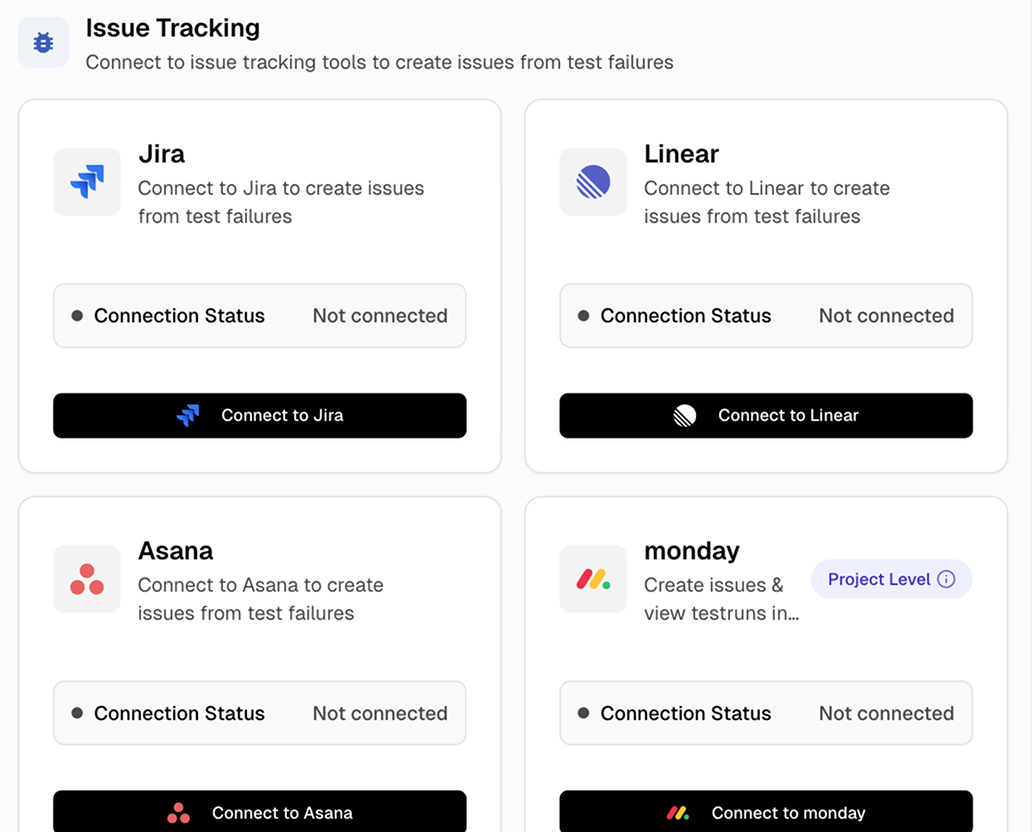
Link your Jira, Linear, Asana, or Monday.com account in TestDino settings. Map your project, issue type, and default fields once.

Create issues in one click
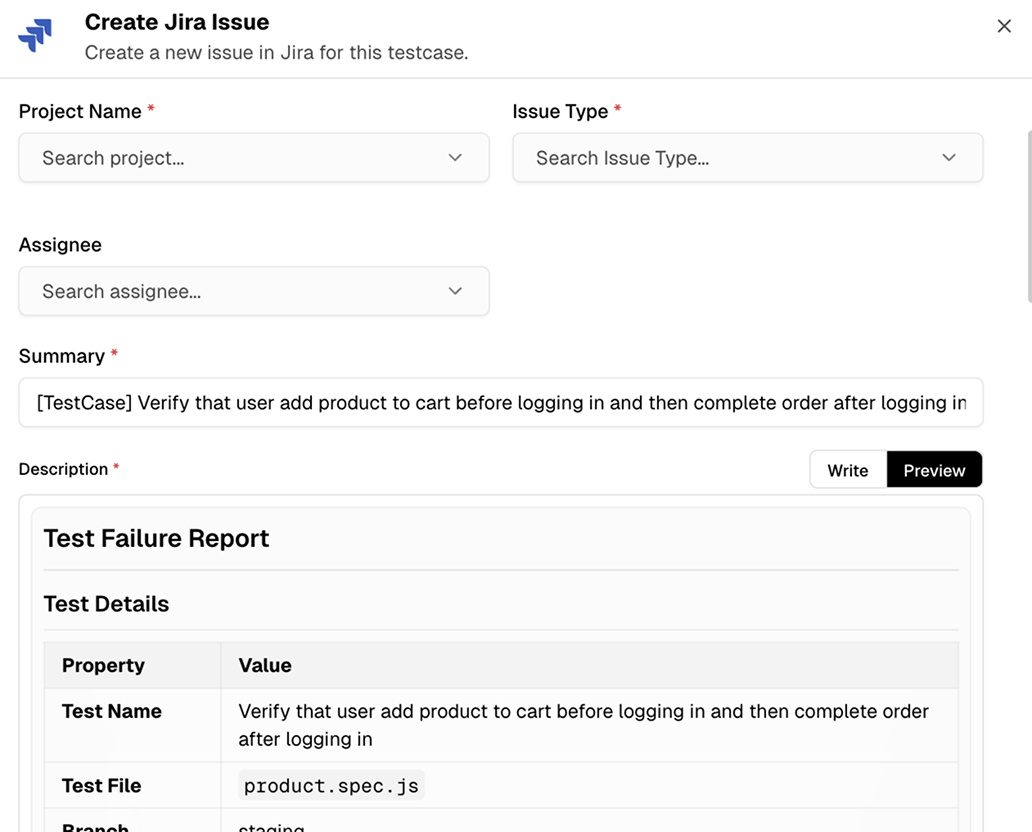
Click the issue creation button on any test failure. TestDino prefills the title, description, error details, environment info, and a direct link to the test run. Review and submit.
Teams love what we built
See why developers choose TestDino to ship faster and debug smarter

Over 30 flaky tests and no structured way to track them, just CI artifacts and morning guesswork. TestDino's "Most Flaky Tests" feature broke this pattern. We can see failure trends now and pull up video recordings of exactly what went wrong. The TestDino MCP server is the magic piece on top, I ask my Claude agent about a failure and it pulls full context from TestDino without switching tabs. We went from 30-something flaky tests down to 3 or 4.
Fewer flaky test reruns
Faster failure triage


Migrating to TestDino from Currents was an easy decision. The features are stronger, the cost is lower, and the interface makes debugging far less painful. Flaky test detection and AI failure classification have simplified debugging and reduced our CI costs by cutting down reruns and noisy failures.
Reduction in CI costs
Less time triaging failures

From failed test to tracked issue
without leaving TestDino
Prefilled issue templates with full context
Every issue includes test name, error message, stack trace, environment, browser, OS, and run URL. Nothing left to remember.
One-click creation from any test result
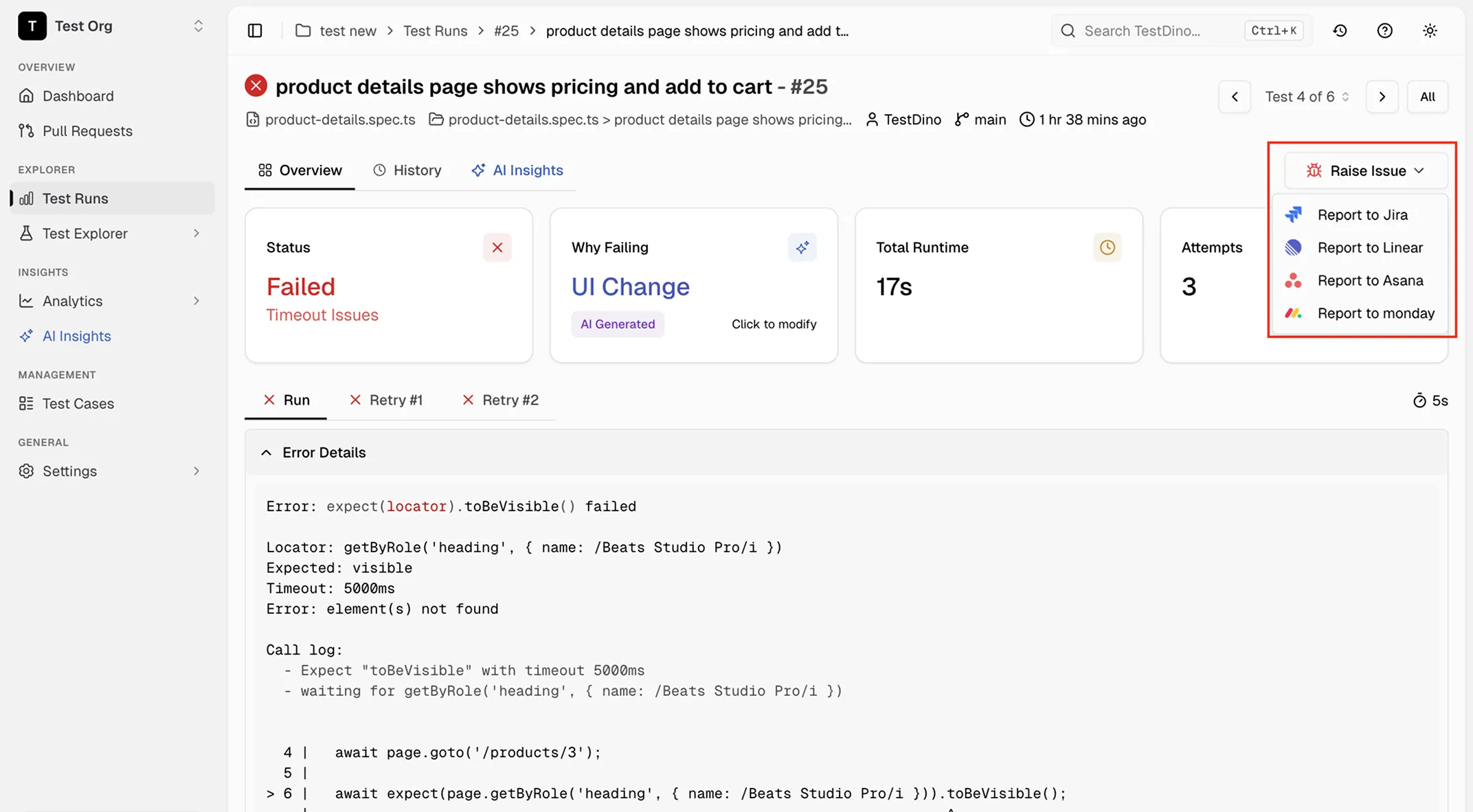
One button on any failed or flaky test opens a prefilled issue form. Review, adjust if needed, and submit from TestDino.
Jira, Linear, Asana, and Monday.com support
Connect whichever tracker your team uses. Fields map to each platform's native format so issues look right in your backlog.
Deep links back to test runs and traces
Every issue includes a link to the test run, trace, and video. No hunting for reproduction steps or context.
Create issues from flaky tests too
File bug reports from flaky tests, not just hard failures. The issue includes the flaky rate, last failed date, and a link to the stability trend.
Works with your existing tracker setup
No new fields or custom workflows needed. Issues are created using your existing project, issue type, and field configuration.
What you get with issue tracking
Complete bug reports filed in one click instead of eight minutes.
Bug reports filed in seconds, not minutes
One click opens a prefilled issue form with everything already in it. Review and submit. No switching tabs, no copy-pasting, no missing context.
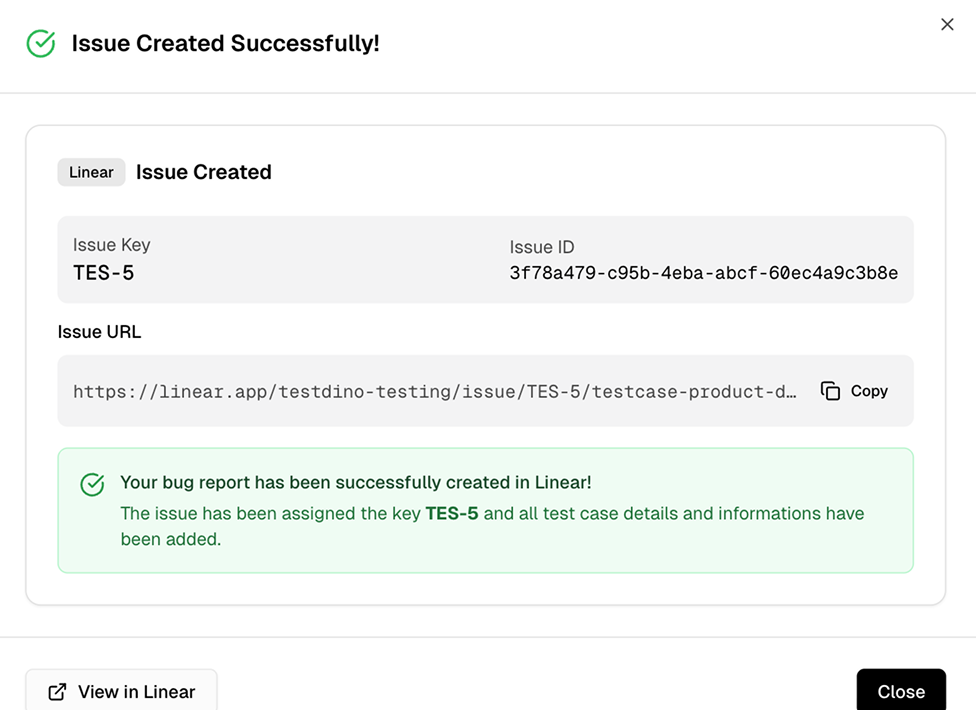
Platform-specific pre-fill for Jira, Linear, Asana, and Monday.com
Submit from TestDino and the issue lands in your tracker instantly. A confirmation shows the issue key, direct link, and prefilled test case details so you can verify everything without switching tabs.
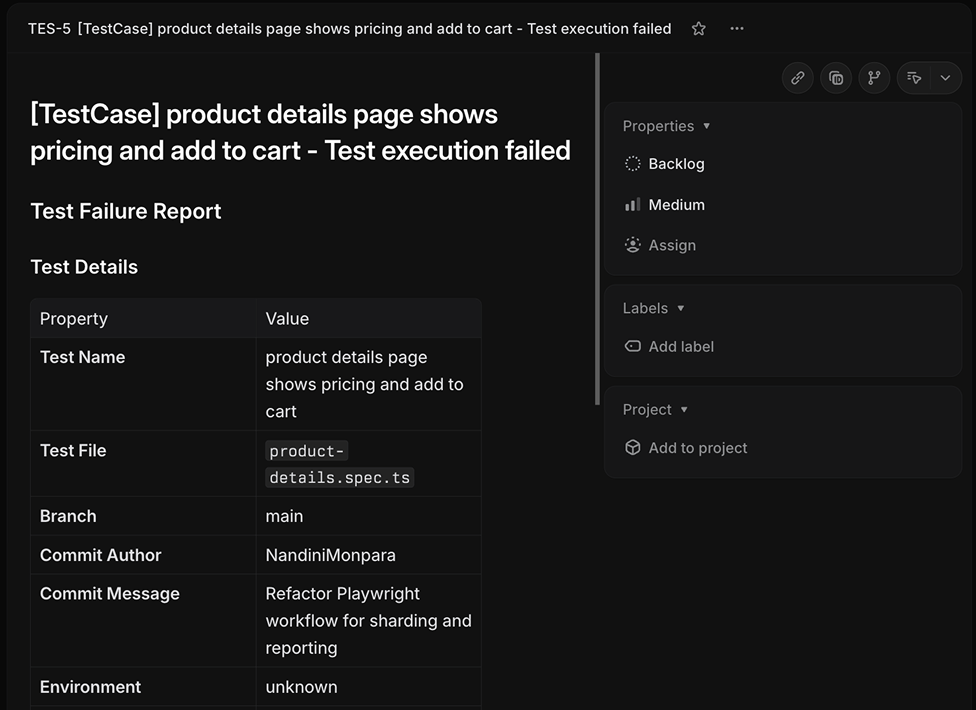
Monday.com dashboard widget for test run stats
Every filed issue includes a structured Test Failure Report with test name, file path, branch, commit author, commit message, and environment. The full context travels with the ticket.
Works with your favourite tools
Connect seamlessly with Jira, Slack, GitHub, Linear, Azure DevOps, Asana, and monday to keep your workflow smooth and your team aligned.





FAQs
TestDino integrates with Jira, Linear, Asana, and Monday.com. Each integration maps failure data to the tracker's native field format so issues look like any other ticket in your backlog.