LambdaTest Test Analytics Alternative
LambdaTest Test Analytics alternative with better test analytics, improved reporting, and faster debugging to help teams accelerate testing.
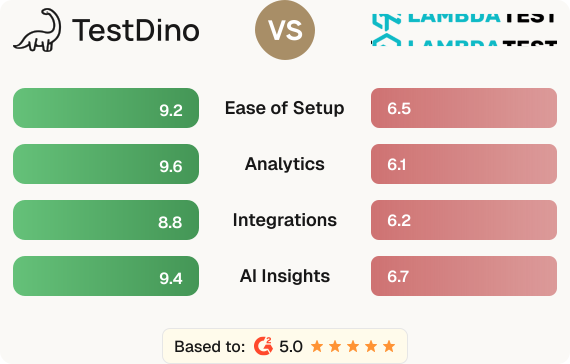
LambdaTest Test Analytics, with its AI-powered Test Intelligence, tracks test runs across browsers and devices while also helping teams debug faster. It offers root cause analysis, detailed logs, flaky test detection, and error forecasting, making it useful for both monitoring performance and fixing failures efficiently. . TestDino is AI-native and designed for Playwright automation. It classifies failures (Bug, unstable, UI Change), and scores reliability with confidence metrics.
A quick look at what sets TestDino apart from LambdaTest Test Analytics for Playwright test analytics.
Playwright-native platform
Built specifically for Playwright with deep integration into traces, specs, and CI workflows. No generic adapters or plugins required.
AI failure classification
Every failure is auto-classified as Actual Bug, UI Change, Unstable, or Miscellaneous with confidence scores to eliminate manual triage.
Role-based dashboards
QA, Developer, and Manager views surface the right metrics for each role. No manual dashboard configuration needed.
One-step CI setup
Add the reporter, set 2 env variables, and your next CI run sends data. Start seeing AI insights in under 10 minutes.

Platform-generic approach
Built for cross-browser testing across multiple frameworks. Not optimized specifically for Playwright test workflows.
Manual dashboard setup
Customizable widgets available, but getting role-specific views for QA, developers, or managers requires manual configuration.
Multi-step onboarding
Setup varies by product and CI provider, requiring multiple configuration steps to get started.
No confidence scoring
AI categorizes failures but doesn't provide confidence scores for prioritizing which failures need attention first.
Feature
Feature-by-feature breakdown showing how each tool handles the areas that matter most to testing teams.
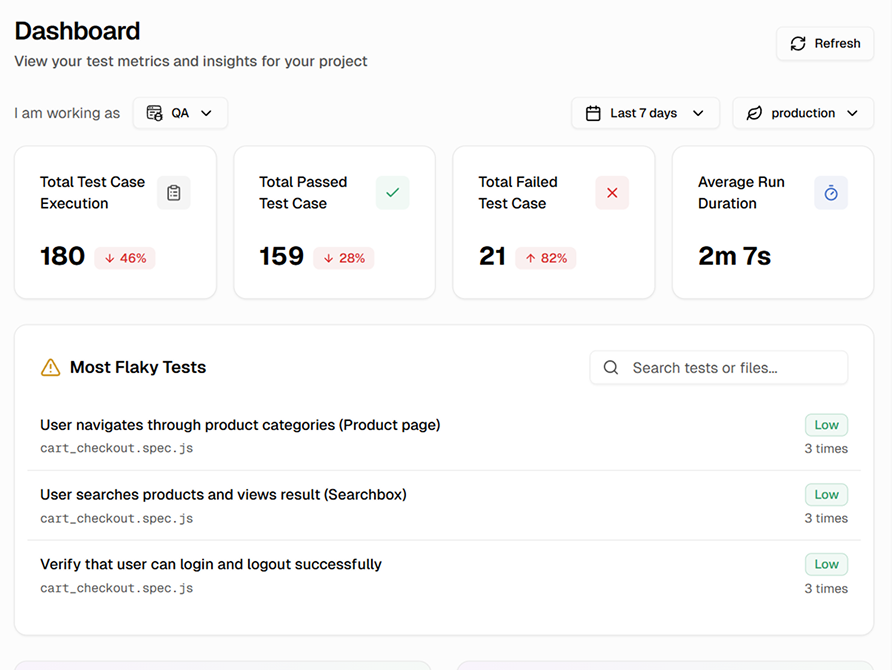
Customizable dashboards with widgets, but role-specific views require manual setup.
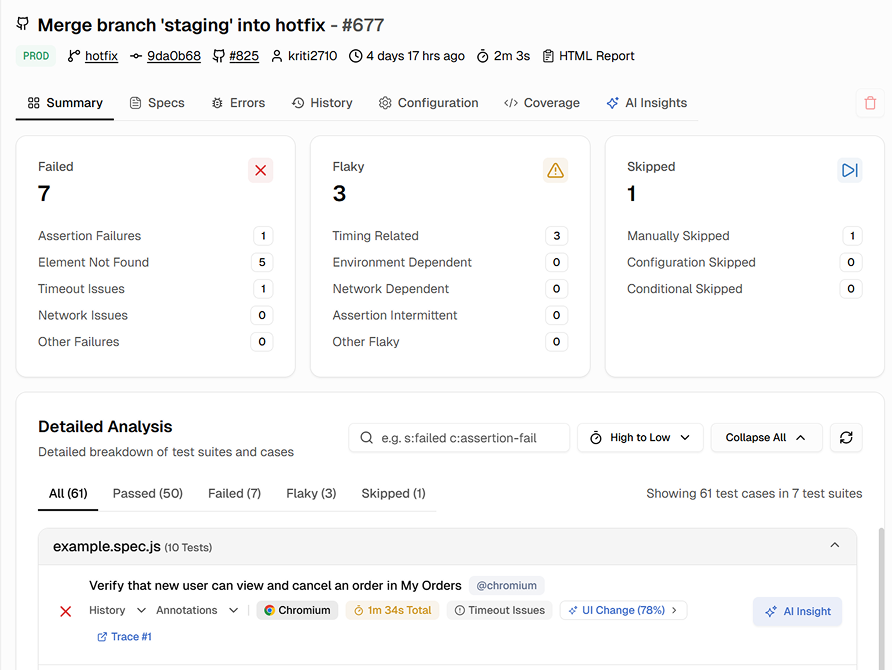
Shows test results with screenshots and AI failure grouping, but insights are spread across multiple sections.
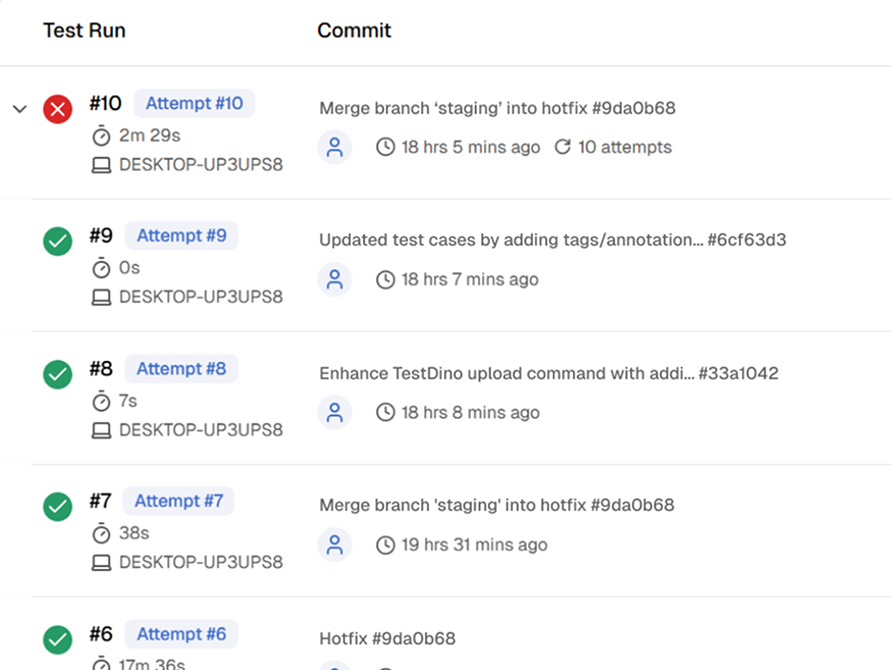
Integrates with CI/CD and flags failures, but lacks a dedicated PR-centric view.
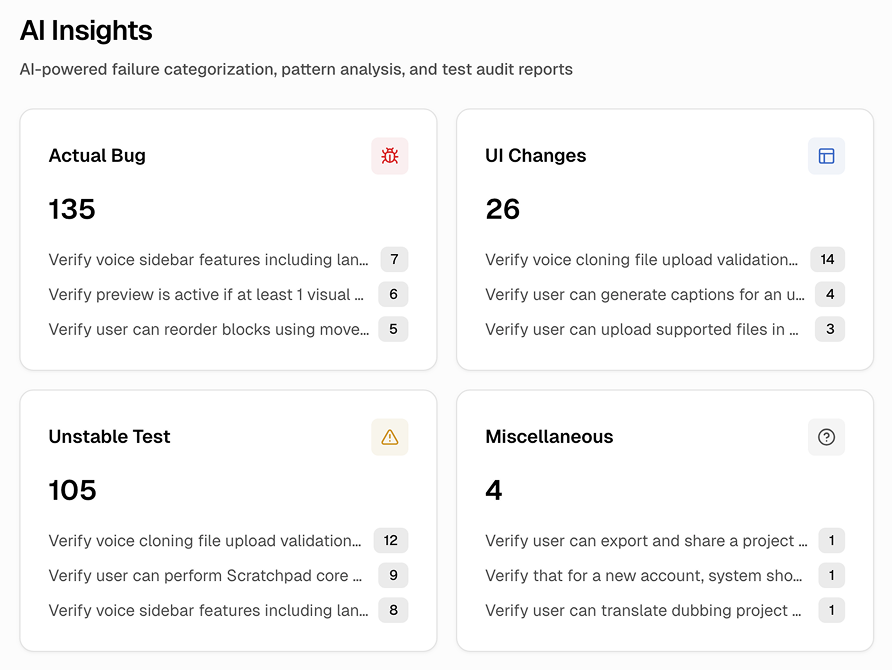
Classifies failures and detects flaky tests at individual test level, but surfacing cross-suite patterns requires manual investigation.
Purpose-built capabilities that help Playwright teams ship faster and debug smarter.
Automatically labels every failure as Bug, Unstable, or UI Change with confidence scores.
QA, Developer, and Manager dashboards, so each role sees exactly what they need.
See pass, fail, flaky, and skip counts per pull request. No jumping between CI logs.
Track test health trends, flaky test patterns, and pipeline performance over time.
Connect in minutes with default Playwright JSON reports. No custom reporter needed.
Identifies flaky tests automatically and tracks their stability across runs and branches.
Where each platform leads and where it falls short.
AI-Driven Test Intelligence
Automatically categorizes failures, detects flaky tests, and provides root cause insights for faster debugging.
Customizable Dashboards
Build personalized dashboards with widgets and filters across browsers, devices, and environments.
Test Execution Insights
Tracks pass/fail rates, execution time, and resource usage to optimize testing performance.
AI-Powered Failure Analysis
The AI engine in TestDino sorts failures automatically, separating actual bugs from test flakiness and UI changes. This accelerates triage and debugging.
Role-Based Dashboards
Dashboards adjust based on roles, delivering the most relevant metrics and insights to QA Engineers, Developers, and Managers.
Persistent Historical Analytics
TestDino tracks test data over time and analyzes trends without complex CI/CD configurations, giving teams true insight into quality.
Purpose-Built for Playwright
It offers deep, native Playwright integration with workflows designed for modern web testing teams.
Transparent pricing for teams of every size.
Automated report generation
Test Insights & Analytics
Secure Secret management
Manual Accessibility DevTools Tests
For dev teams shipping to production
25,000 test executions/month
Up to 5 users
90-day data retention
Trends Analysis
Custom alerts & notifications
Slack integration
Email support
AI-powered failure detection
AI Insights at dashboard
Enterprise-grade security so your team can focus on shipping instead of worrying about data.
Secure authentication, role-based access control, and data encryption safeguard your test data in transit and at rest.
Persistent analytics with historical tracking deliver reliable insights about test performance, coverage, and release readiness.
Automated backups and retention policies maintain a complete history of test data. Project-scoped access prevents unauthorized changes.
TestDino is built Playwright-first and offers AI-driven failure insights, PR-aware dashboards, and fast CI/CD setup. This makes debugging faster and reduces time spent manually analyzing test failures.
Side-by-side comparisons of features, pricing, and integrations to help you pick the right testing tool.